
Describe a small game.
Tell Smelty what the player does, how they win, and what the game should look like. A single room or a short level is a good first project.
Start here
You don’t need to know how to code, or know your way around an engine. Start with a simple idea you’d like to play. Smelty can guide you one step at a time, help create the pieces, and explain what’s happening along the way. You choose how hands-on you want to be.
Before you open the editor
Download the installer, install the engine, and sign in with your Iron Grid account. Connected Smelty needs internet access and uses your included credits. Your account shows the remaining balance and next refill.
Create a new project in the editor. Choose a short name and a folder you can find again. Save your project as you work.
Pick a first idea
Begin with movement, a simple puzzle, or a single collectible. A smaller request is easier to playtest and gives you something to build on.
An example request for Smelty
“Help me make a small 2D platformer with left and right movement, jumping, a few platforms, and an exit. Explain your plan before building the first level.”
Once jumping feels good, ask for a collectible or a moving platform.
Work with Smelty
Open Smelty in the editor and describe your idea in ordinary words. You can use one of the requests above or write your own. Ask for an explanation if you don’t understand a step.
Tell Smelty what the player does, how they win, and what the game should look like. A single room or a short level is a good first project.
Ask for a step-by-step walkthrough, or have Smelty help create the scene and gameplay. Review the plan, ask questions, and work in your own editable project.
Press Play. Try the controls, see what works, and tell Smelty what you want to adjust. Keep making small changes until it feels right to you.
Smelty can make mistakes. If a result doesn’t work, describe what happened and ask it to check the problem. The alpha is still improving; save often and keep backups.
Find your way around
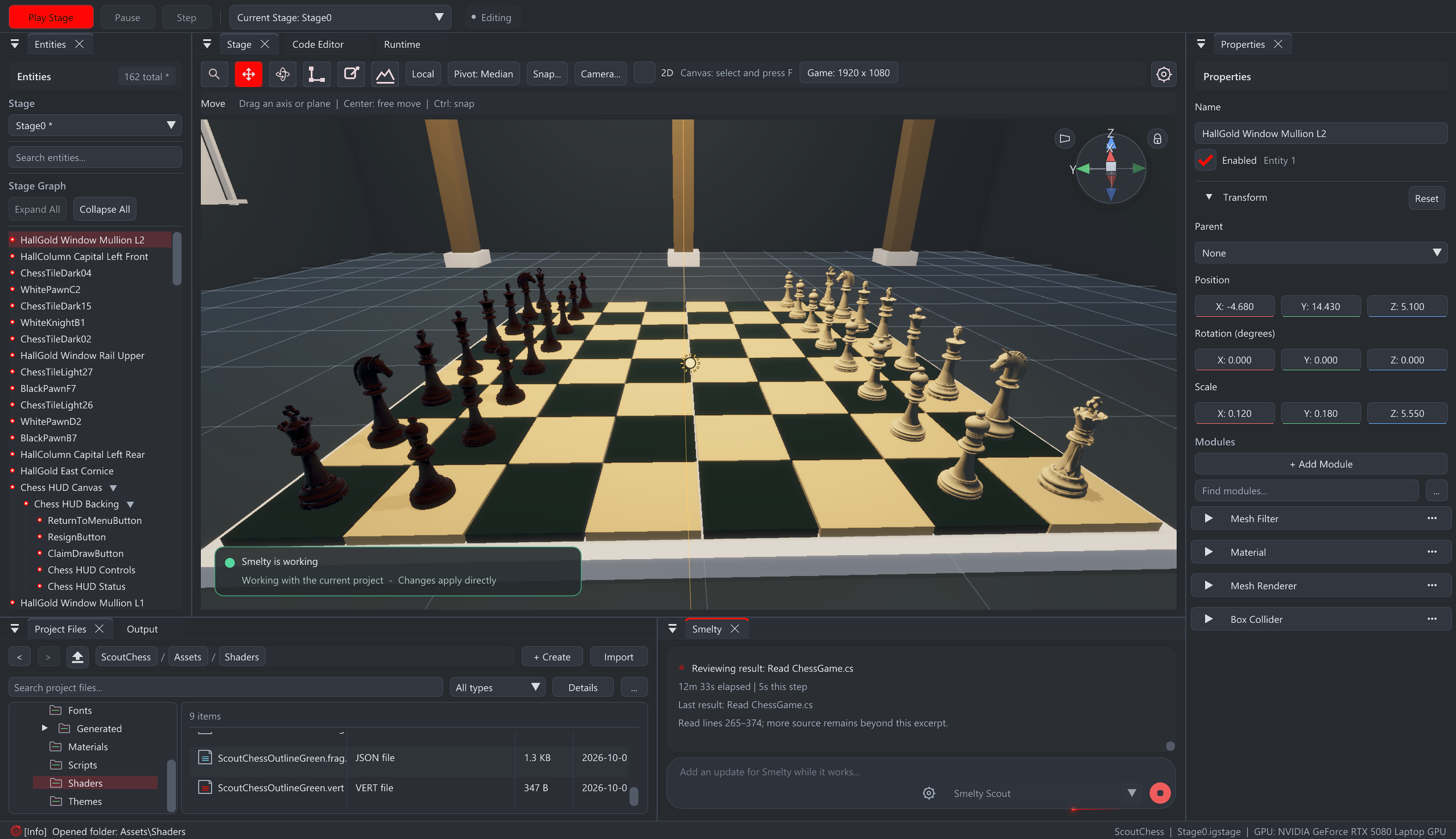
A Stage is your game’s scene. The object list helps you select things, Properties lets you change them, and Runtime shows the game through its camera. You can ask Smelty to explain each part as you go.
Tell Smelty what you expected and what actually happened. If it’s an engine problem, send us the version, the steps you took, and any useful error message. You don’t need technical language to explain it.
Send feedback →Add another room, change a rule, try a different camera, or learn a visual tool. C# documentation is there if you want to explore the code. There’s no need to learn everything before making something.
Explore the tools →You can decide what the next version needs after you’ve played it.