
Guide me through it.
Ask questions, understand the tools, and build each piece yourself with Smelty explaining the next step.
“Explain how a collectible works, then walk me through making one.”Explore this approach
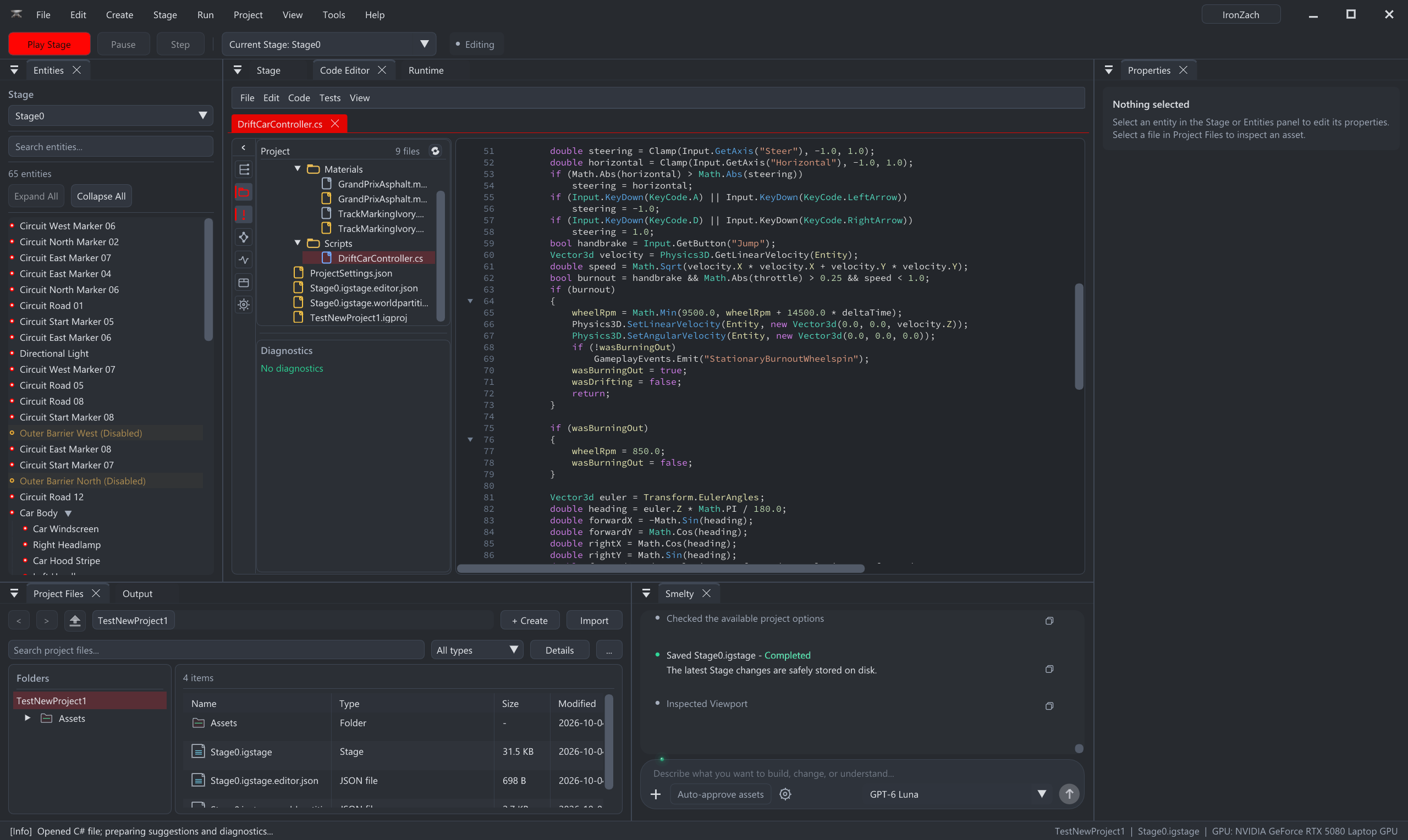
Meet Smelty · Your in-editor AI assistant
Some days you want to learn how it works. Some days you want to see your idea running. Smelty helps with both, right inside your Iron Grid project. You set the direction and decide what stays.
Ask questions, understand the tools, and build each piece yourself with Smelty explaining the next step.
“Explain how a collectible works, then walk me through making one.”Explore this approach
Describe what you have in mind. Ask Smelty to build scenes and gameplay in your project, then playtest and shape the result together.
“Create a small puzzle room with a switch that opens a door.”Explore this approach
Adjust the controls, investigate a bug, or understand some code. Move between hands-on work and assistance as your confidence grows.
“My character slides after I stop. Help me find out why.”Explore this approach
01 / Learn by making
Ask Smelty to explain a tool, break down a mechanic, or guide you through a change. Connect what you learn to something you can actually play.
“What is a Stage?” or “How do I make the camera follow my player?” No technical vocabulary required.
Ask for one step at a time, an explanation of the code, or the reason behind a setting.
Make the change, test it, and ask a follow-up. Each small experiment builds your understanding.
02 / Create from your ideas
Ask Smelty to help build a scene, write gameplay, or change your project. Begin with one mechanic, review the plan, and test the result before adding more.
An example request for Smelty
“Help me make a small 2D platformer with left and right movement, jumping, a few platforms, and an exit. Explain your plan before building the first level.”
Once jumping feels good, ask for a collectible or a moving platform.
How to start your first project03 / Keep making it yours
Ask why a script fails, how a mechanic works, or what to check when something feels wrong. Smelty can help investigate and make changes; you review the work in your editable project.
Before you begin
Smelty is an AI assistant in an actively developed alpha. Results need review and playtesting; a request does not guarantee a finished game. Save often and build in small steps.
Free accounts include Smelty Tokens. Your account shows your available balance and next refill. Connected assistance requires internet access.
Choose the idea, review changes, and try the controls. The regular editor, visual tools, and scripting remain available for your own work.
Ask Smelty to explain the error and what it checked. If the engine itself gets in your way, send us feedback →
Bring a small idea and see where the first playable takes you.