
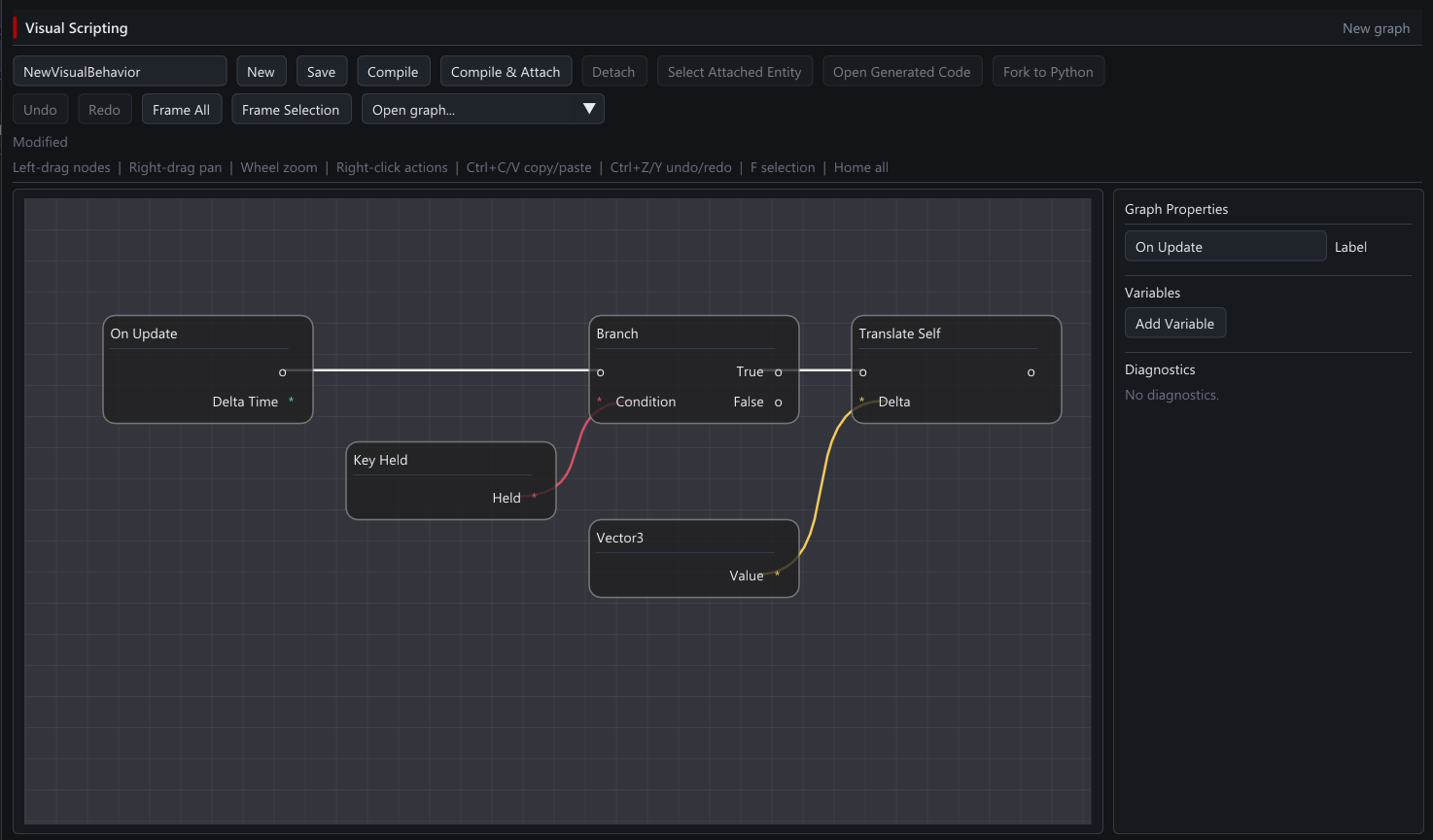
Connect gameplay with graphs.
Build behavior from connected nodes. Iron Grid turns gameplay graphs into C#; the node library is still growing.
Inside Iron Grid
Make a world, give it rules, and try it out. Smelty can help with each part, and you can use the editor yourself whenever you want. Start without coding; learn more as you go.
Smelty
“Add a door that opens when I collect the key.” Smelty can work on the scene and gameplay in your actual project. Ask it to explain its plan, try the result, and tell it what to change.
Free Smelty Tokens are included. Internet access is needed for connected AI.
Build a world
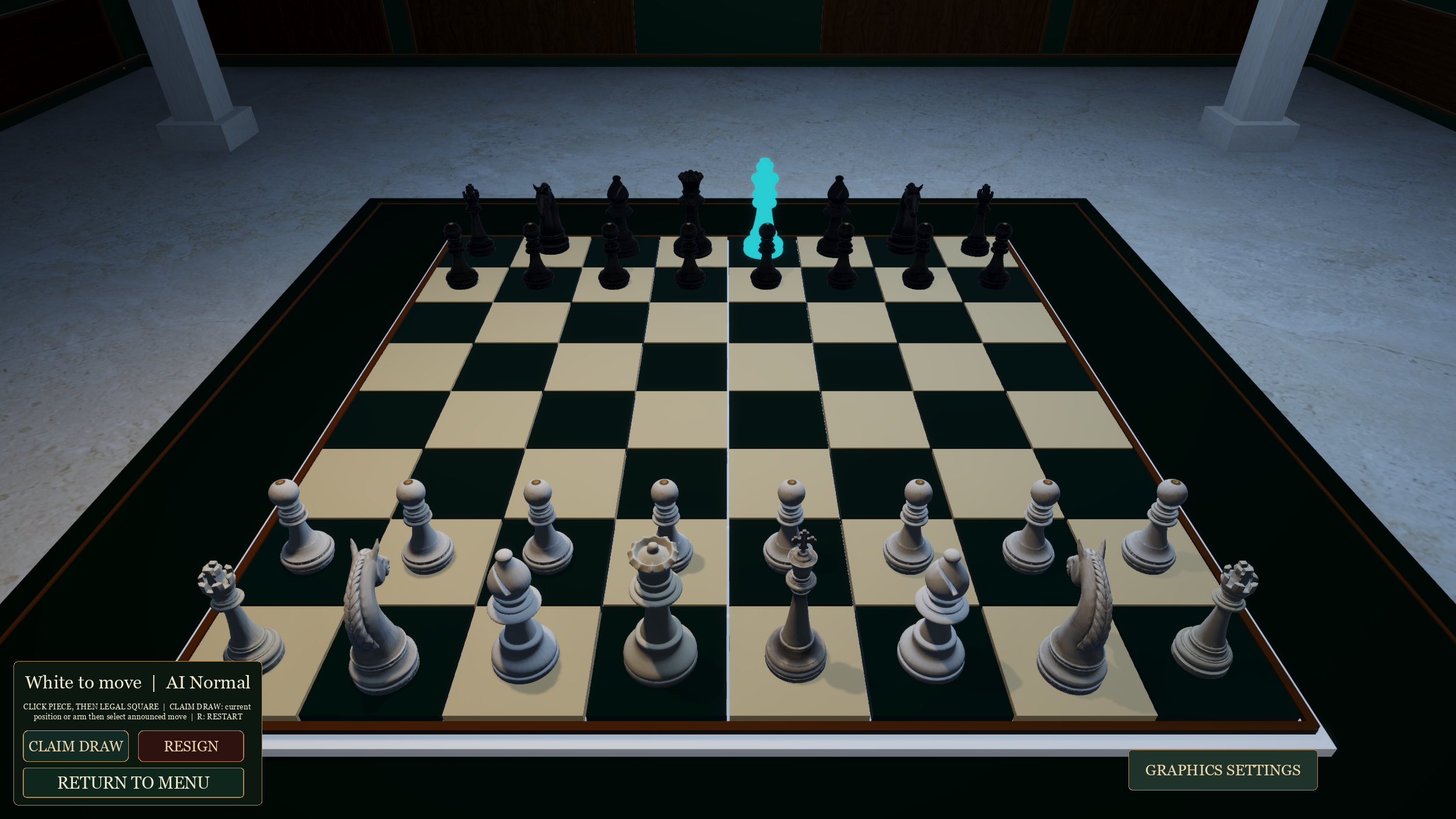
Arrange objects, set the camera, change materials, and add lights. The scene you build is called a Stage. It can be a 2D level, a 3D environment, or something smaller while you learn.
Terrain tools, animation, and Rig Studio are also being developed. Check the release notes for what’s ready in your download.
What’s in the current alpha ↗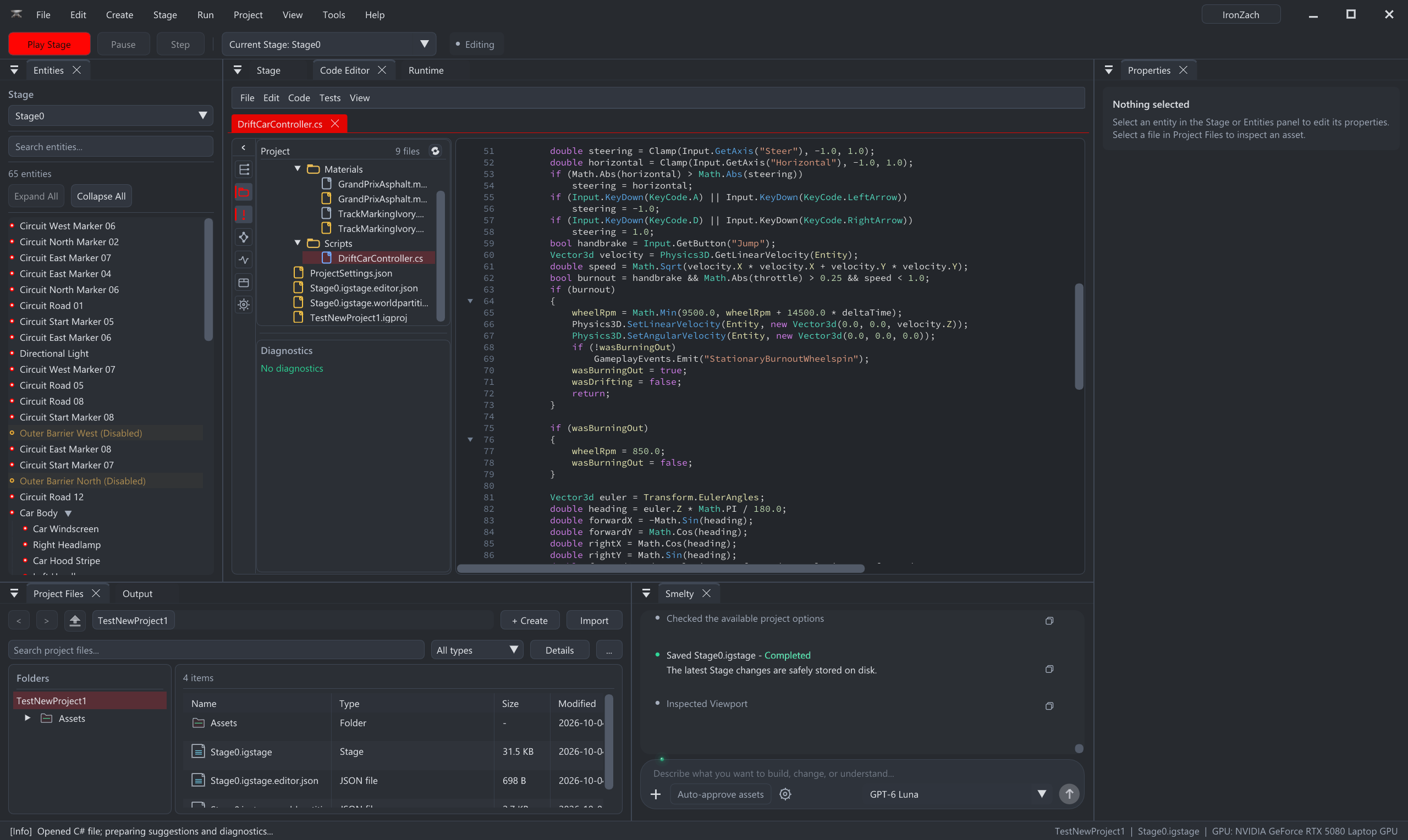
Make it playable
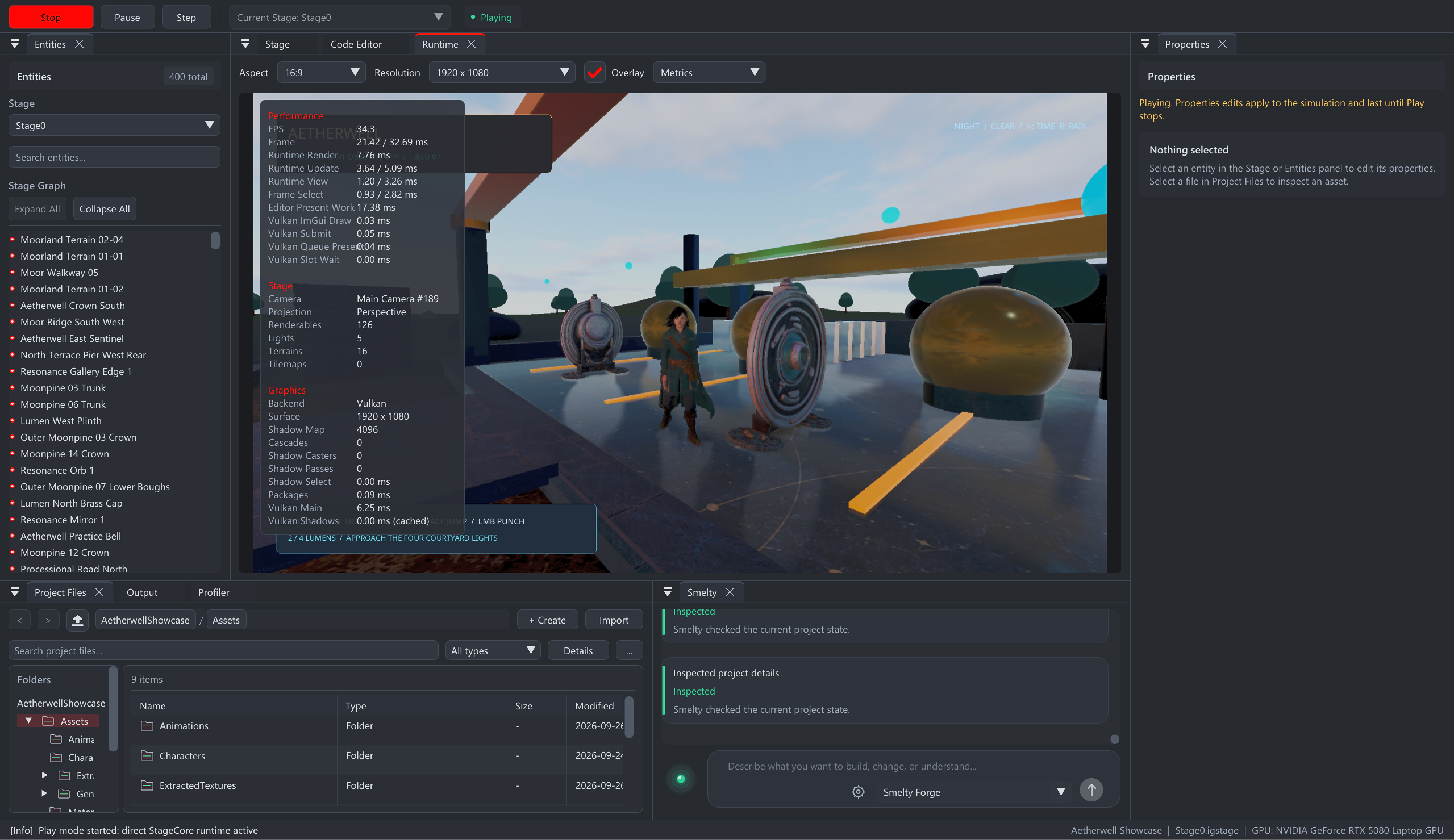
Make a character move, let objects collide, add sound, and show the player’s health. Press Play to try your changes through the game camera.
Visual tools & code
You don’t have to start here. When you’re curious, visual graphs let you connect pieces, and the code editor lets you work directly on your game’s behavior.
Build behavior from connected nodes. Iron Grid turns gameplay graphs into C#; the node library is still growing.
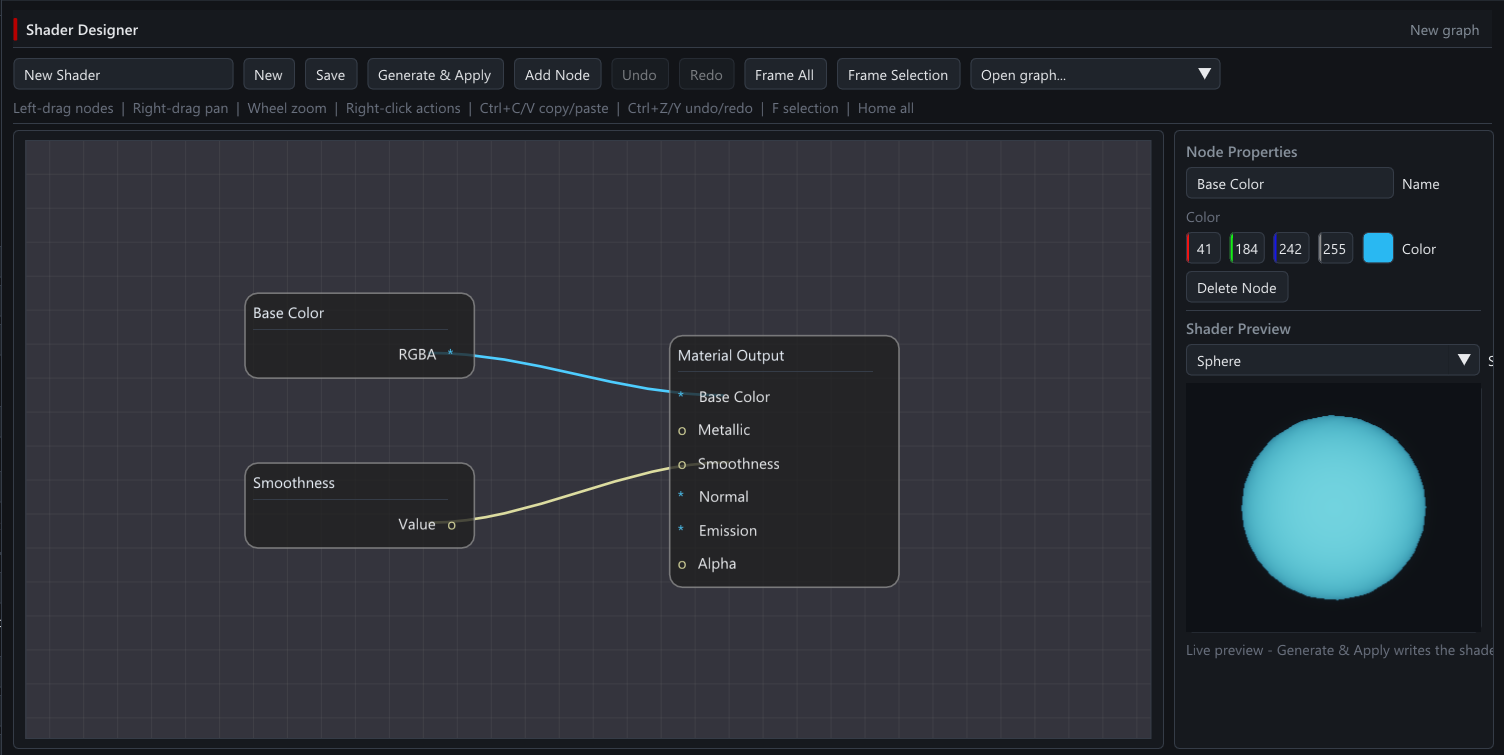
Connect colors and textures, adjust the material, and check the preview before applying it.
C# is the main gameplay language, with completion, error messages, and an API reference inside the editor. Python is also supported for experimentation and simple behaviors.
Procedural Graph combines patterns, primitives, and materials into content for your Stage. The native engine also supports Vulkan, DirectX 12, DirectX 11, and OpenGL rendering paths. Hardware and content coverage vary during alpha.
View the Procedural Graph screenshot ↗Share your game
Build games for Windows 10/11 and Android. Coming in 0.1.13-alpha: a native Linux editor, standalone Linux game exports, and Android game exports from Windows and Linux desktops.
Iron Grid takes no commission on your releases. The engine is still in alpha, so test your exported game and keep project backups.
Windows can block an unsigned game or installer. The editor’s signature does not sign your game, and a Release or Shipping build does not guarantee Windows acceptance. See the development journal for the new distribution-signing workflow and its current validation limits.
Windows distribution progress ↗Download the free engine ↓The first-project guide starts with an idea, not a coding lesson.
AVAILABLE NOW / 0.1.13-alpha
A Linux engine build. Linux and Android game exports. This alpha opens up more of your game-making journey.
A native Ubuntu editor joins Windows. Build your world, write gameplay, and work with Smelty on Linux.
Take your project from the Linux editor to a standalone Linux game. More ways to share what you make.
Build Android games from Windows or Linux. Bring your gameplay to a phone or tablet and test it on the device.
Download 0.1.13-alpha for Windows or Ubuntu and read the release notes.
Explore this release